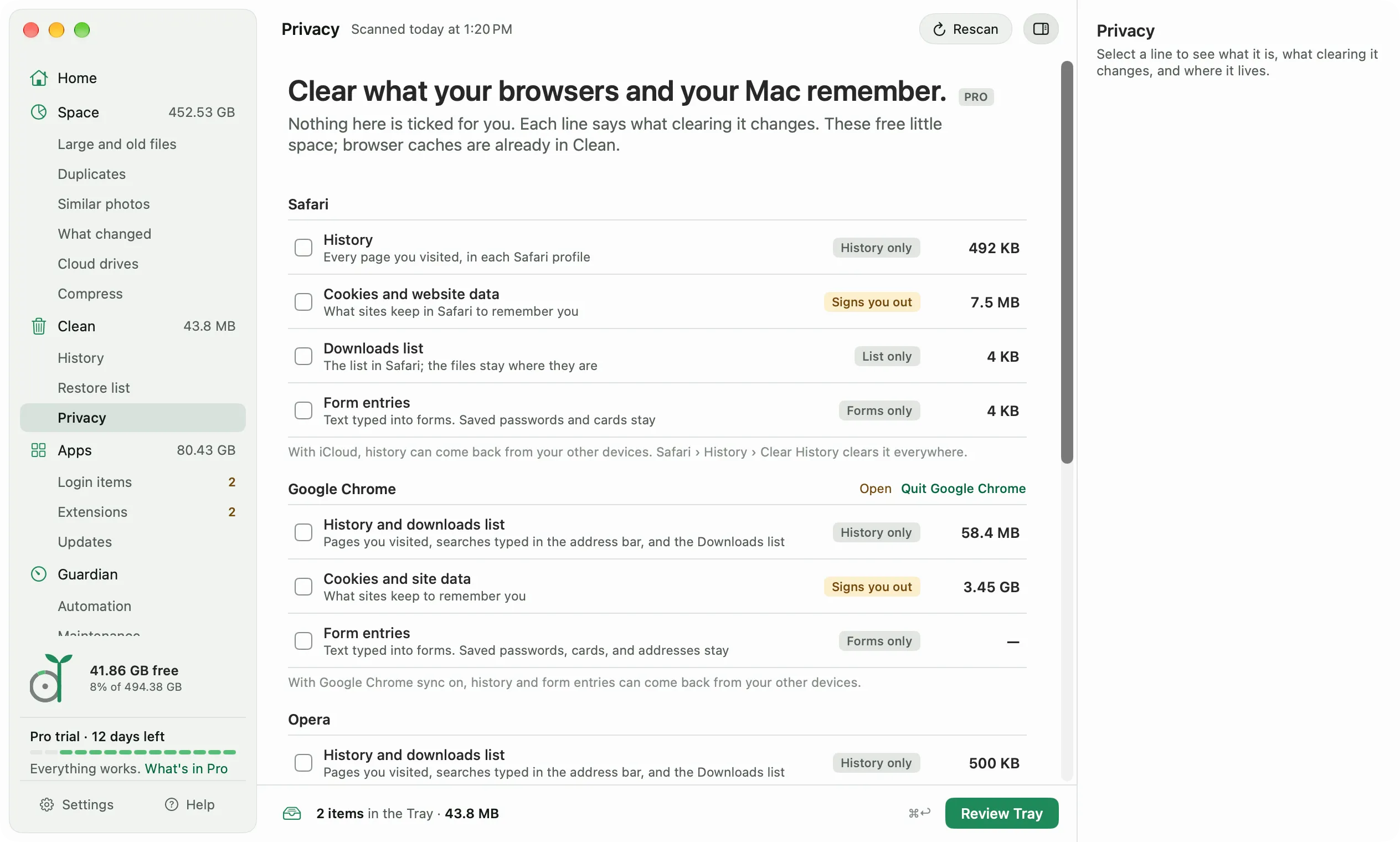
Open Clean, Privacy in the sidebar. Diskling lists each browser on your Mac, and each browser profile on its own, with what it keeps and how much space that takes. These lists free little space. Browser caches are already in Clean.
What you can clear
Each line has a chip for what clearing it changes, like History only, Signs you out, List only, or Forms only.
- Safari: History in every Safari profile, Cookies and website data, the Downloads list, and Form entries.
- Google Chrome, Microsoft Edge, Brave, Arc, and Opera: History and downloads list, which is one line because the browser keeps both in one file, Cookies and site data, and Form entries.
- Firefox: Cookies and site data, and Form entries. Firefox keeps history in the same file as your bookmarks, so Diskling leaves it alone. Use Firefox, Settings, Privacy & Security to clear it.
- This Mac: Recent items, the recent documents, apps, and servers in the Apple menu, and each app’s Open Recent list. Finder’s Recents isn’t here, because it’s a live search of your files, not a list.
Form entries are the text you typed into forms. In Chrome and the browsers built like it, Diskling clears them from inside the browser’s own database, so saved passwords, cards, and addresses stay.
What Diskling never touches
Saved passwords and passkeys, bookmarks, open tabs, extensions and their storage, and the Keychain all stay. The Privacy screen says so too.
Before you clear anything
Quit the browser first. While a browser is open, its section says Open, with a button to quit it. Diskling clears a browser’s data only while it’s closed, and only files on a fixed list inside that browser’s own folder.
Privacy data is deleted for good, not moved to the Trash. A browser can’t use a copy in the Trash, so Undo can’t bring it back. The review says so before you confirm.
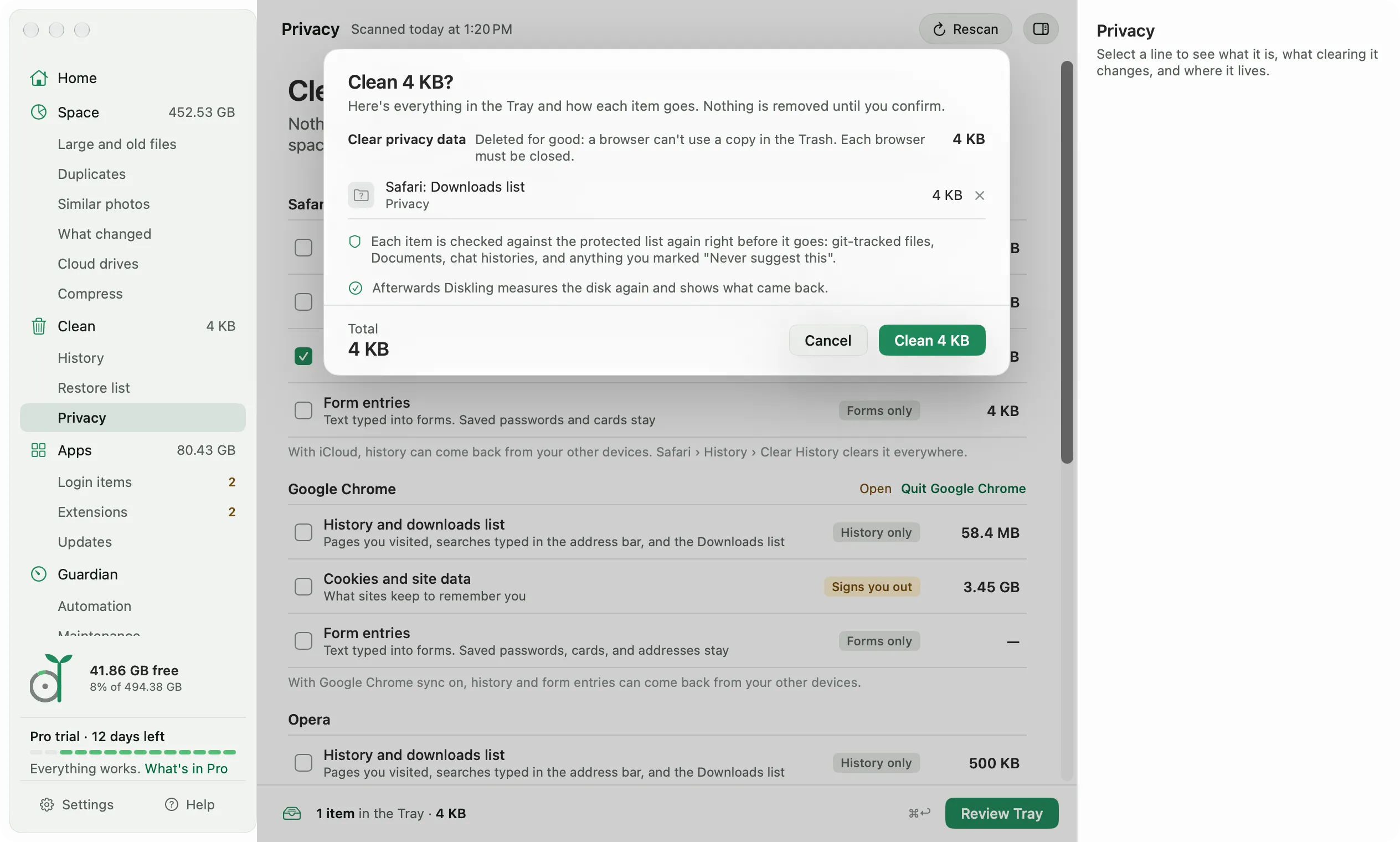
If you sync with iCloud, or with Chrome or Firefox sync, history and form entries can come back from your other devices. Clear them in the browser itself to clear them everywhere, like Safari, History, Clear History.
On macOS 27, some browser folders can be locked so only that browser can change them. If a folder is locked, Diskling says macOS lets only that browser change it, and points you to the browser’s own Clear Browsing Data.
Free and Pro
Privacy is part of Pro. Your license explains how the trial works.