Large and old files
Open Large and old files under Space. It lists every file over 100 MB the scan found, with when you last opened it and its size.
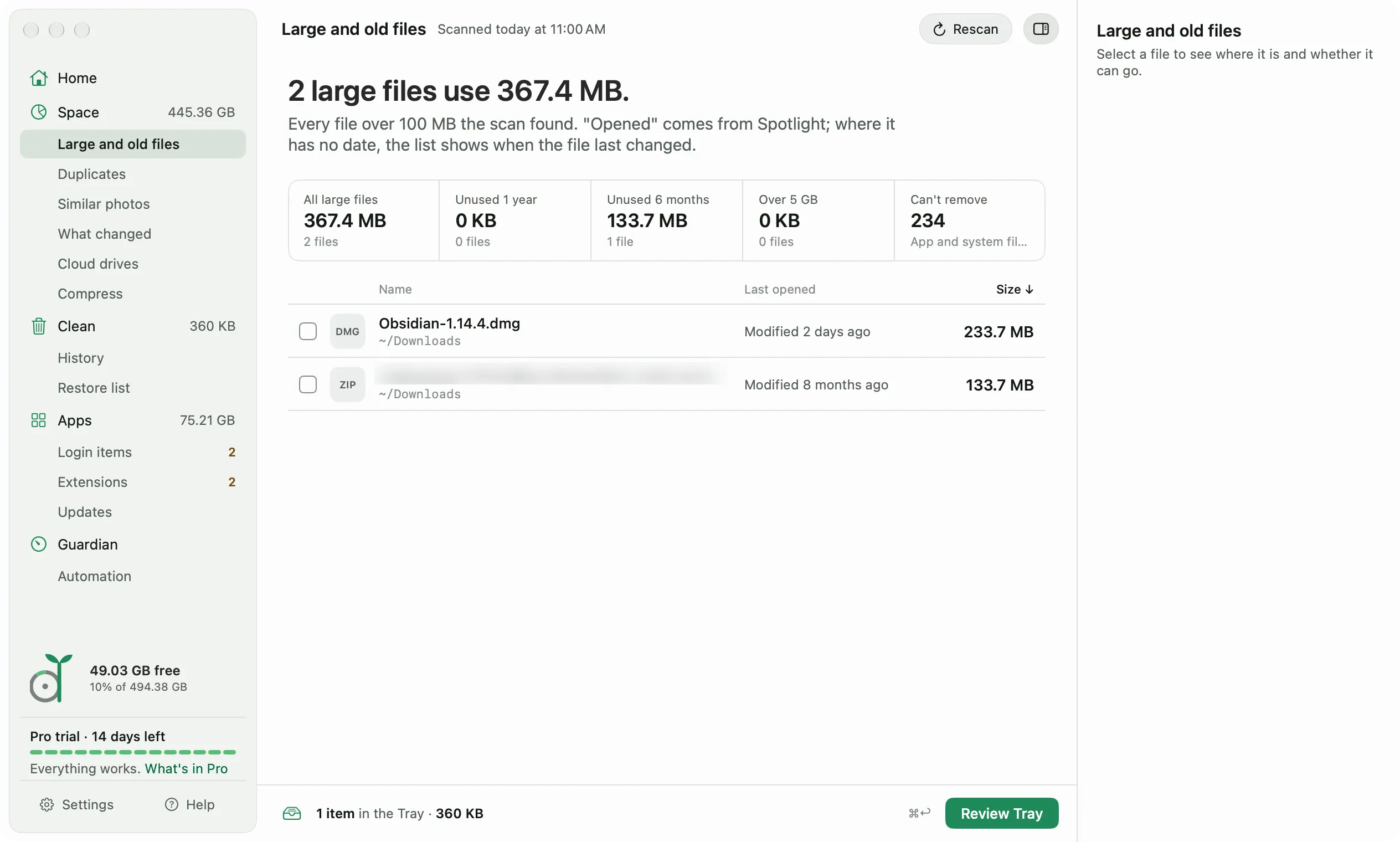
The last opened date comes from Spotlight. Where Spotlight has no date, the list shows when the file last changed instead.
The cards at the top filter the list:
- All large files.
- Unused 1 year and Unused 6 months, sorted oldest first.
- Over 5 GB.
- Can’t remove, for app and system files that are big but not yours to delete.
Diskling only offers files it can tell are yours: videos, music, images, archives, and disk images, or anything in Downloads, Movies, Music, or Pictures. Files inside apps, hidden folders, and developer tools are left alone. For simulators, Docker disks, and Xcode data, use Clean instead, which knows how to remove them.
To remove a file, tick it, then click Review Tray. It goes to the Trash, so Undo brings it back. On Free you can remove one file at a time.
If you have videos, disk images, or archives you haven’t opened in two years, the screen may suggest offloading them to another drive. Compress and offload explains how that works.
What changed
Open What changed under Space. Diskling keeps a record of folder sizes after each scan, one a day, so this screen can show where space went.
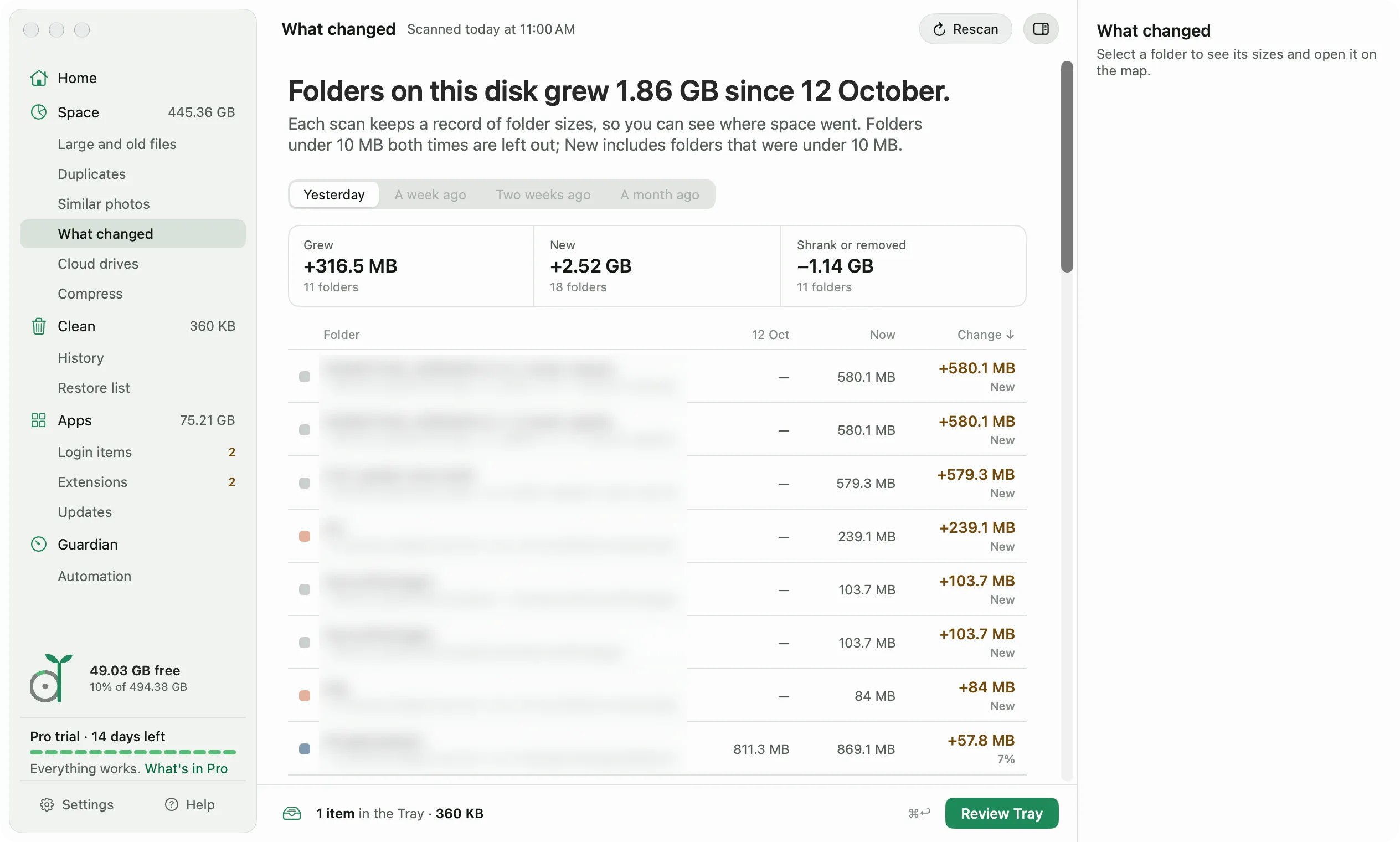
Pick what to compare with: Yesterday, A week ago, Two weeks ago, or A month ago. Options without a record yet are grayed out. The cards split the change into folders that grew, new folders, and folders that shrank or were removed.
The list is short on purpose. Folders under 10 MB both times are left out, and a folder only opens up into its subfolders when one of them explains most of the change. So if a cache grew by 3 GB, you see that cache, not every folder above it.
Select a folder and click Show on the map to open it in Space.
Diskling keeps daily records for 14 days and weekly records for 12 weeks. Right after your first scan there’s nothing to compare yet, so the screen says so. Scheduled scans keep the records coming without you opening Diskling.
What changed is part of Pro. On Free, Diskling still saves the records, so they’re there if you upgrade later.